U.S. passport photo paper rules
Learn what paper is accepted for printed U.S. passport photos, why matte or glossy photo-quality paper is allowed, and how visible pixels or printer dots can cause trouble.
Guides for preparing a US passport or visa photo from verified uploads: sizing, pose, background, digital file requirements, and digital-editing risk.
Use these guides first to check the core US photo rules and digital-editing risk.
A US passport or visa photo is a real-photo requirement, not an illustration task. Start with a recent upload, keep the face natural, and prepare the file to the Department of State size rules.
US passport and visa guidance is strict about digital alteration. YapaPhoto verifies uploaded references, preserves identity, checks measurable rules, and keeps final agency review explicit.
Choose the topic closest to your situation, then open the most relevant guide.
Core Department of State requirements and restrictions for preparing a US passport or visa photo.
Learn what paper is accepted for printed U.S. passport photos, why matte or glossy photo-quality paper is allowed, and how visible pixels or printer dots can cause trouble.
Learn when you can take a real U.S. passport photo at home, why a helper is safer than a stretched-arm selfie, and how to reduce rejection risk without overclaiming acceptance.
Learn when an old or still-recent passport photo is risky in the United States, how the 6-month rule works, and when a photo no longer reflects your current appearance.
US passport photo hair requirements for bangs, loose hair, face visibility, shadows, and safe YapaPhoto prep.
For printed U.S. passport photos, the Department of State allows matte or glossy photo-quality paper. The finish matters less than the output quality: the print should look like a clean photo, not a photocopy, a low-resolution print, or a damaged sheet.
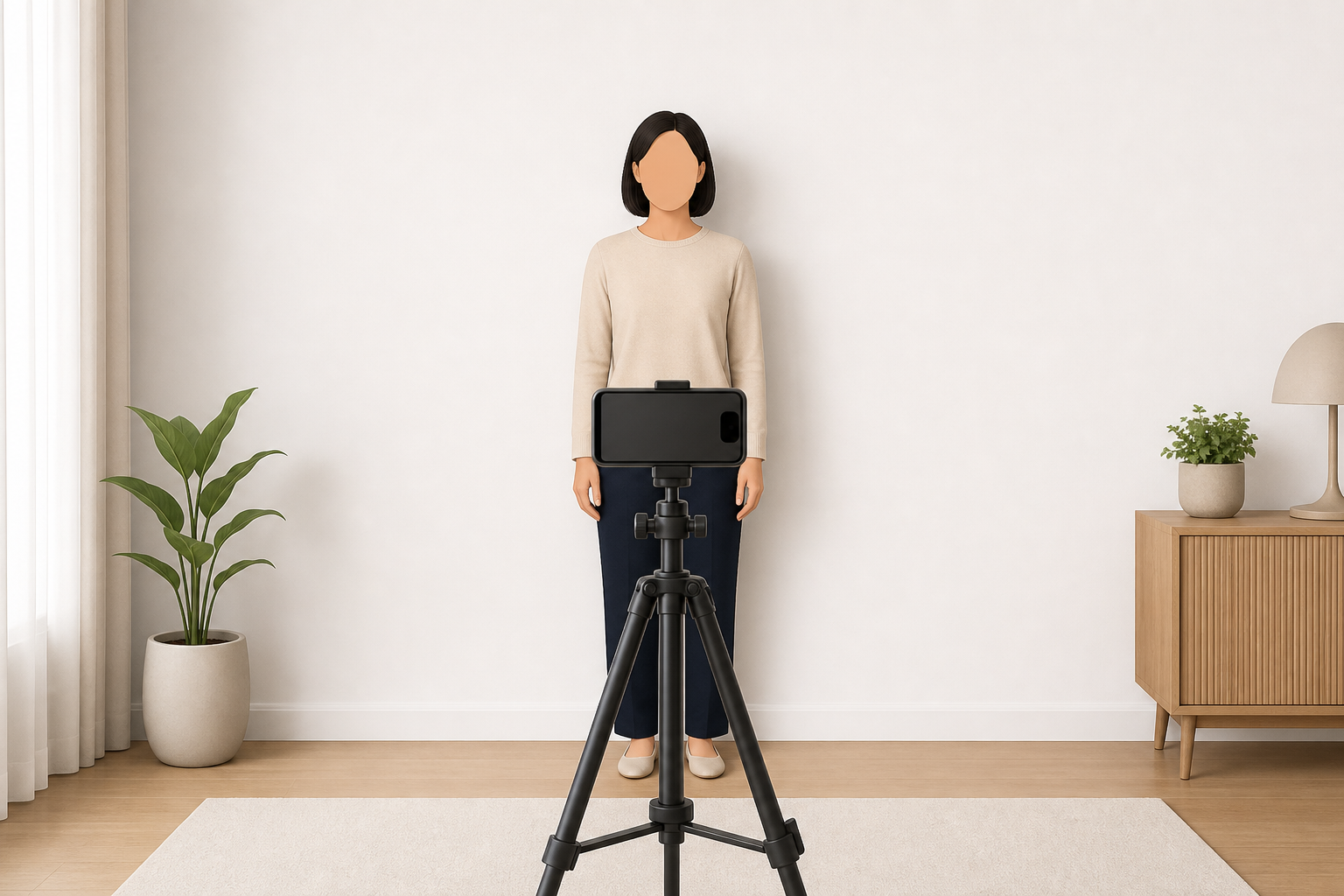
You can take a real U.S. passport photo at home, but the safest official direction is not a stretched-arm selfie: the online renewal page says to have someone take your photo.
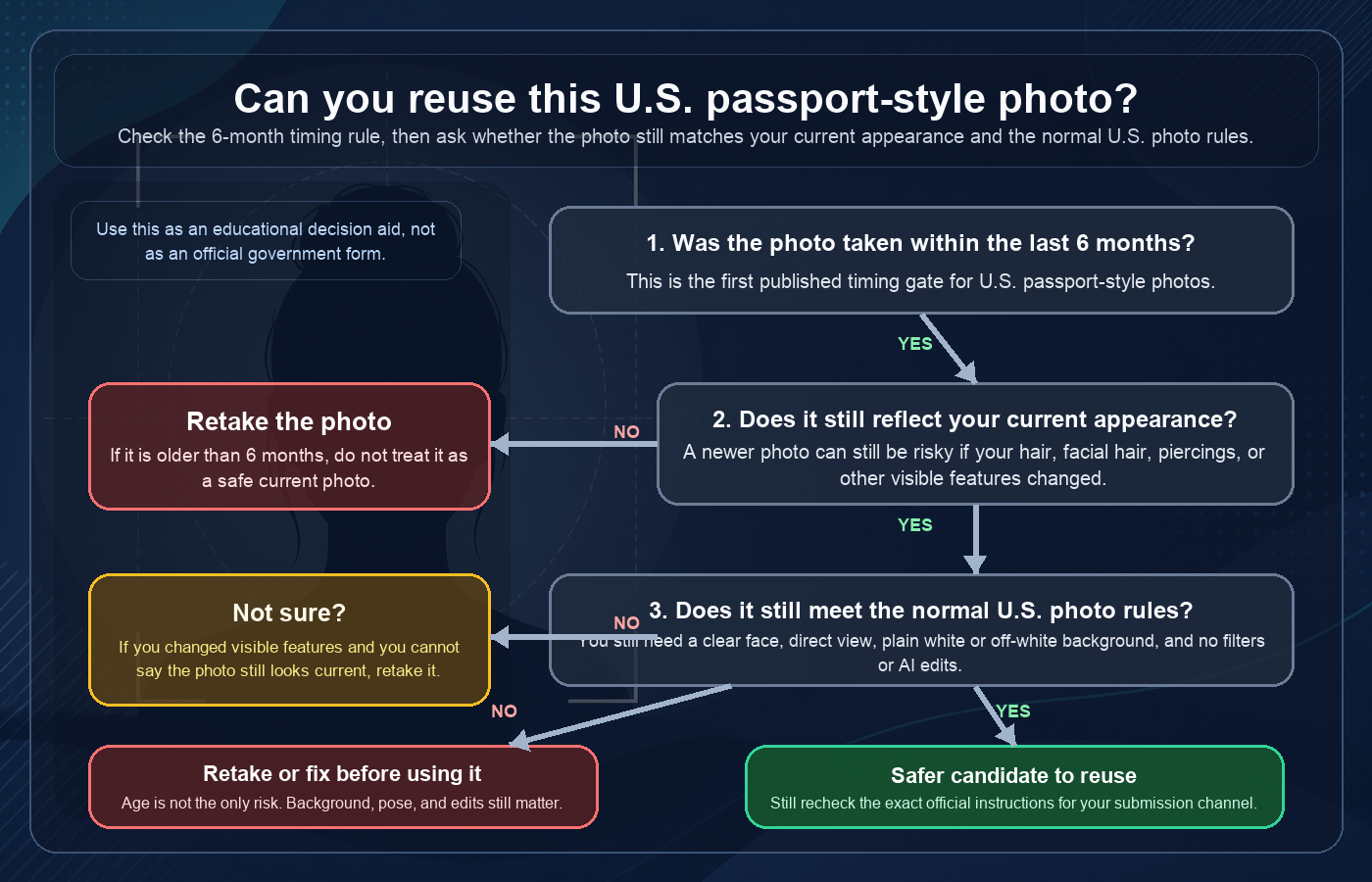
The conservative U.S. answer is usually no: if the photo is older than 6 months, or if it no longer reflects your current appearance, retake it instead of trying to reuse it.
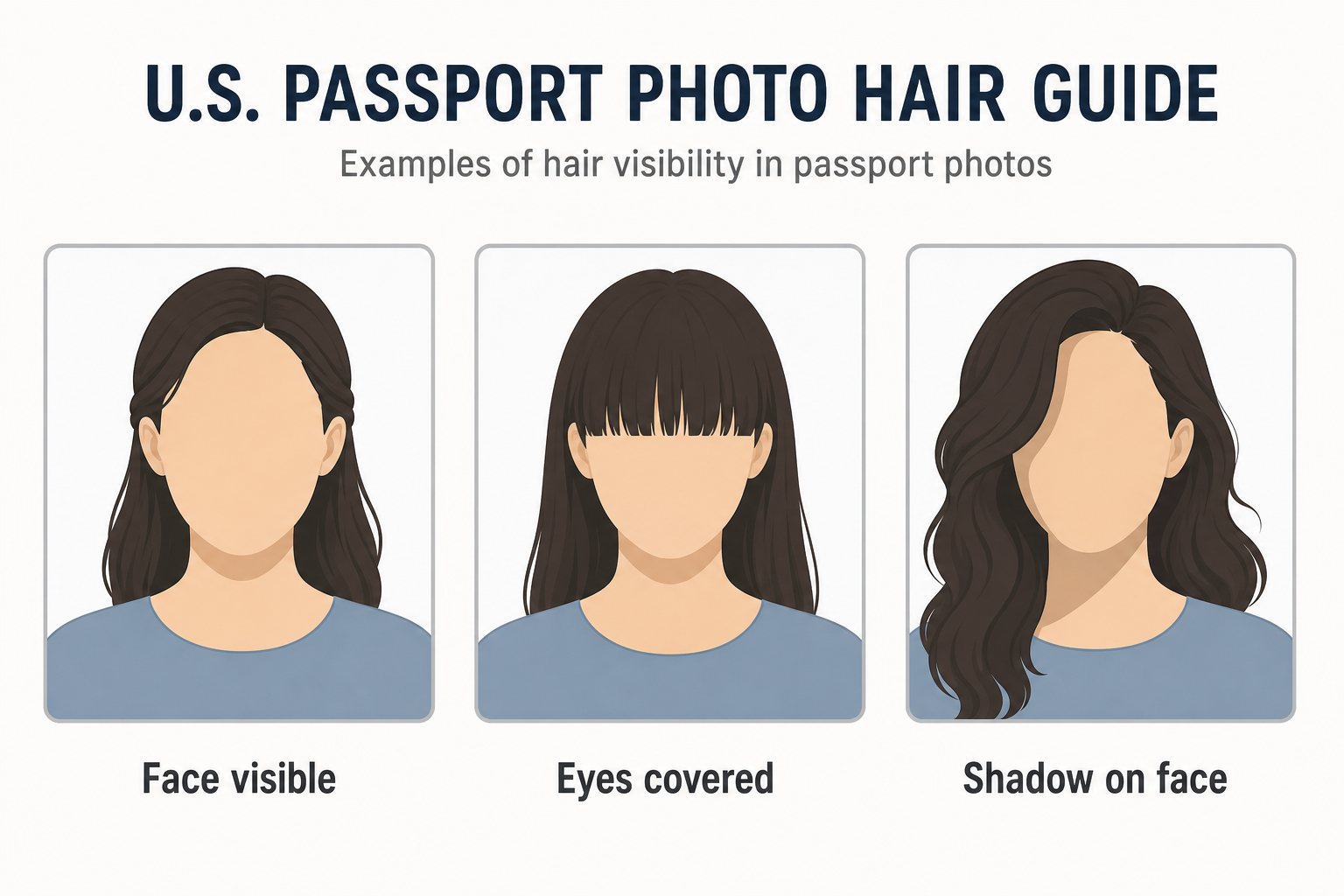
Hair is usually allowed in a U.S. passport photo, but it cannot cover the eyes, hide the face outline, or cast shadows that make the face harder to review.
The safest U.S. passport-photo clothing choice is normal daily clothing with a fully visible face. Avoid uniforms, camouflage, and accessories that hide the face.
U.S. passport photos normally should not include hats or casual head coverings. A religious or medical head covering may be possible only when the full face stays visible and shadow-free.
The U.S. Department of State says a passport photo should show a neutral facial expression, both eyes open, and a closed mouth. A natural closed-mouth smile can work for a passport photo, but closed eyes, an open mouth, exaggerated expressions, or turned-away poses are risky.
The U.S. Department of State passport photo size is 2 x 2 inches, with the head between 1 and 1 3/8 inches from chin to top of head. The crop has to be square, centered, recent, and unaltered.
Many USCIS forms that ask for physical passport-style photos use a 2 x 2 inch, recent, color, unretouched photo format. Always check the exact form instructions before submitting.
For a U.S. passport photo, the Department of State says the background should be white or off-white, without shadows, texture, or lines. Start with the right wall or sheet before you crop.
For U.S. passport and visa photos, plan to remove glasses. Department of State passport guidance says to take off eyeglasses, sunglasses, and tinted glasses; visa guidance says eyeglasses are no longer allowed except in rare medical circumstances with documentation.
Baby passport photos are hard because the adult pose rules meet a moving child. The Department of State gives a few specific infant and toddler tips: use a plain white or off-white sheet, avoid face shadows, and know the baby-eyes exception before you crop or print.
For online U.S. passport renewal, the Department of State asks you to upload a digital photo, not mail a printed 2 x 2 inch print. The upload has its own file-type, file-size, crop, background, quality, and no-editing checks, and the official application still reviews the photo after submission.
A US visa photo may be a digital image or a printed 2 x 2 inch photo depending on the visa category and submission process. Use the Department of State rules for size, background, expression, file format, and editing, then check the exact embassy, consulate, or application instructions before submitting.
For a Diversity Visa entry, the Department of State DV photo upload is a digital-image requirement: JPG format, no more than 240 KB, square, and 600 x 600 pixels. Use a recent real photo and do not alter your appearance.
For Form I-485, USCIS instructions ask for two identical recent color passport-style photos. Treat this as a 2 x 2 printed-photo requirement and keep the final photo unretouched.
US passport and visa guidance is strict about digital alteration. YapaPhoto verifies uploaded references, preserves identity, checks measurable rules, and keeps final agency review explicit.
A US passport or visa photo is a real-photo requirement, not an illustration task. Start with a recent upload, keep the face natural, and prepare the file to the Department of State size rules.