Quick answer
Yes, you can take a real U.S. passport photo at home, but that does not mean every self-shot setup is equally safe.
The strongest official signal is on the Department of State's online renewal photo page: before you start the application, it says to have someone take your photo. The general passport photo page does not publish a separate universal rule that says "selfies are forbidden," so the careful answer is more specific: at-home capture can work, but a classic stretched-arm selfie is not the conservative setup.
What the official pages actually support
The public U.S. passport photo page focuses on the final image:
- submit a recent color photo taken in the last 6 months;
- face the camera directly;
- keep a neutral expression with both eyes open and mouth closed;
- use a plain white or off-white background;
- do not change the photo with software, apps, filters, or artificial intelligence.
The online renewal page adds a practical capture instruction that matters for this topic: have someone take your photo. It also explains that you should stand several feet from a white or off-white wall when possible, and that the application may let you reposition or crop the image.
That combination matters because it supports a nuanced answer:
- at home is possible;
- helper-taken is closer to the clearest official instruction;
- self-captured images are riskier if they start to look like casual selfies rather than standard passport photos.
Taking it yourself can mean more than one setup
People use "take it yourself" to describe different situations:
- a classic arm's-length selfie;
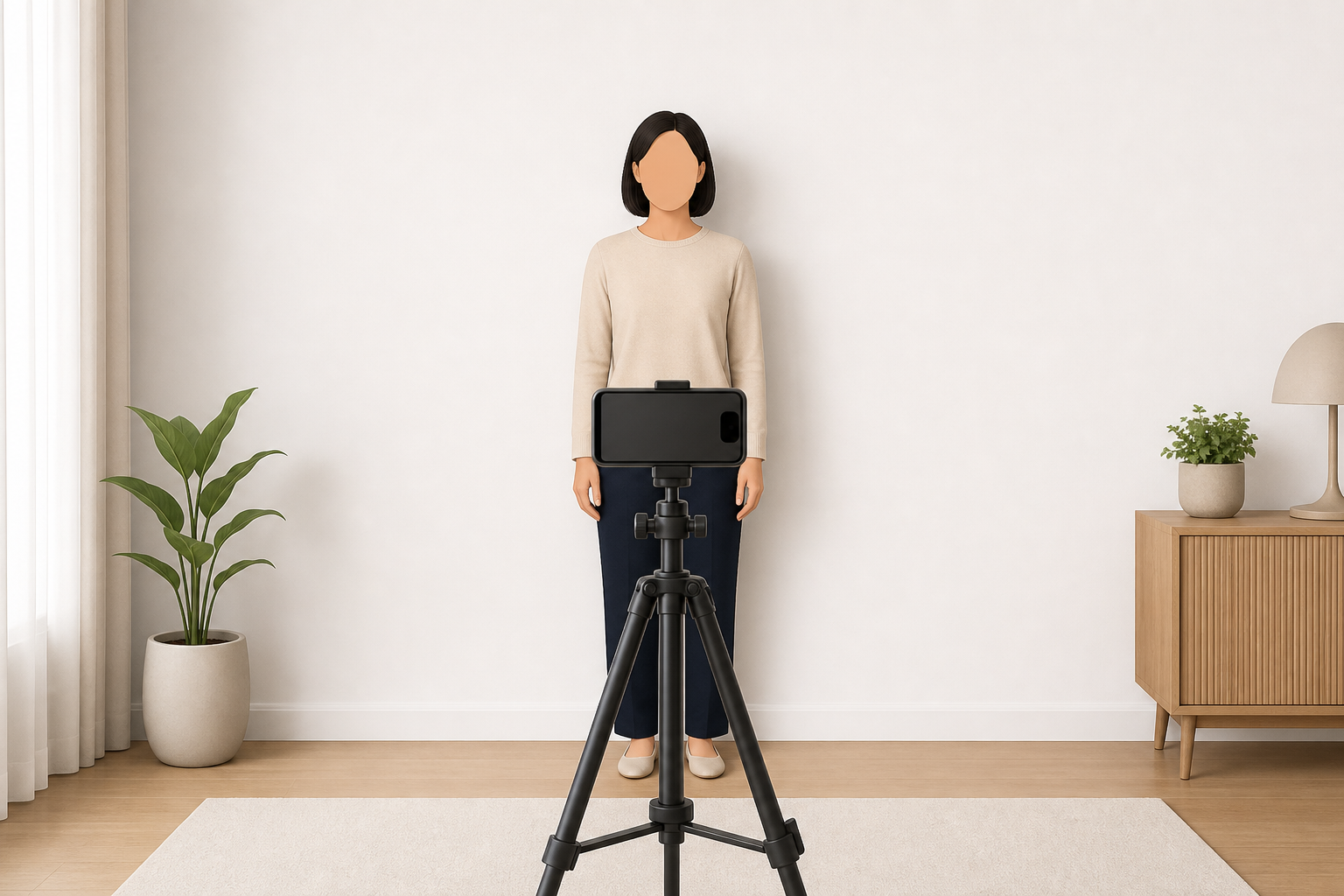
- a self-taken photo using a timer or remote shutter;
- a phone photo taken by another person at home.
The official pages do not spend time on that vocabulary. They care about whether the final image looks like a compliant passport photo.
That is why the safest public explanation is not simply yes or no:
- a classic selfie is the least conservative choice;
- a stable timer or tripod setup may reduce the biggest selfie risks, but it still has to produce a normal passport-style result;
- a photo taken by someone else best matches the online renewal instruction.
Why a stretched-arm selfie is the risky version of DIY
A phone is not the problem by itself. The common selfie setup is the problem.
An arm's-length capture often creates one or more conflicts with the official rules:
- the face is slightly turned or tilted instead of straight to camera;
- perspective makes the face look less natural than a passport-style portrait;
- lighting becomes uneven, especially with overhead or side shadows;
- the wall behind you is harder to keep plain and evenly lit;
- people are more tempted to "fix" the result with phone filters or retouching tools, which the official pages reject.
So when users ask whether they can take the photo themselves, the practical answer is: maybe at home, but not casually.
Safer at-home setup if you are not using a studio
If you want the broadest margin of safety while staying at home, build the setup around the official rules instead of around convenience.
Safer order of preference
- another person takes the photo;
- stable timer, remote, or tripod setup;
- arm's-length selfie only as the least reliable fallback.
Room setup that reduces avoidable mistakes
- Use a plain white or off-white wall or sheet.
- Stand several feet away from the background when possible, following the online renewal guidance.
- Place the camera at face height, not low or high.
- Use soft front light so your face is clear and shadows stay limited.
- Take several real photos so you can choose the one that looks most neutral and straight-on.
This guide does not replace the detailed rule pages for background, head size, or expression. For those specifics, see US passport photo background requirements, US passport photo size requirements, and US passport photo expression requirements.
Paper applications, online renewal, and risk boundaries
The paper passport photo page gives the baseline rules that matter no matter how the photo was captured.
The online renewal page is especially useful here because it adds more direct at-home capture advice:
- have someone take your photo;
- stand several feet from the wall;
- use a white or off-white background;
- avoid unnatural editing or filters.
That does not justify a broad public claim that every self-shot photo is automatically banned. It does justify a conservative boundary:
- if you can have another person take the picture, do that;
- if you cannot, make the setup behave like a normal portrait and not like a casual selfie;
- if the result looks borderline, retake it before submission.
Passport-first answer, with visa guidance as a useful comparison
This is a passport-first guide, but the State Department's visa photo page helps confirm that the same broad capture logic is not unique to one page. The visa guidance also requires a recent photo, a full-face view directly facing the camera, a plain white or off-white background, and a neutral expression with both eyes open.
That comparison is useful because it reinforces the broader rule family: a compliant government photo is about realism, direct view, current appearance, and controlled background, not about turning a phone selfie into something "close enough."
What YapaPhoto can help with
YapaPhoto's U.S. passport photo path starts from a real uploaded image. It can help prepare, crop, and export that real photo and can flag obvious problems such as a tilted face, weak framing, or background issues.
Keep the product boundary honest: YapaPhoto is a private preparation tool, not a government service, and it does not guarantee acceptance. The final decision stays with the Department of State or the submission channel reviewing the photo.
Start with the U.S. passport photo preparation path. For the overall rule set, read US passport photo requirements. If your submission is digital, also read online passport renewal photo requirements.
Step-by-step: safer at-home capture checklist
- Read the official rule page before you set up the room.
- Ask another person to take the photo if possible.
- If you are alone, stabilize the camera instead of holding it at arm's length.
- Put the camera at face height and face it directly.
- Use a plain white or off-white background and reduce shadows.
- Keep the expression neutral, with both eyes open.
- Do not use filters, beautification, AI edits, or appearance-changing retouching.
- Crop only to fit the frame after you already have a real compliant photo.
- If the result still looks like a selfie, retake it.
Source-backed checklist before you submit
Before you submit an at-home U.S. passport photo, confirm that:
- it is a recent real color photo taken within the last 6 months;
- the face is directly facing the camera;
- the expression is neutral and both eyes are open;
- the background is plain white or off-white;
- the image was not changed with apps, filters, retouching, or AI;
- the setup does not create obvious selfie distortion, shadows, or perspective issues;
- you are not relying on YapaPhoto or any crop tool as a promise of acceptance.
FAQ
Does the U.S. government say I cannot take my passport photo myself?
The public passport photo page does not publish a separate universal rule phrased that way. But the online renewal page tells applicants to have someone take the photo, which makes that the strongest official capture instruction.
Can I use a timer or tripod instead of another person?
The official pages focus on the final compliant photo rather than naming every home setup. A stable timer or tripod can reduce classic selfie problems, but the result still has to satisfy the same official rules and there is no guarantee.
Is a selfie automatically rejected?
Not by a published universal sentence on the main passport page. But a classic arm's-length selfie is a risky choice because it often conflicts with the straight-on, realistic, and controlled-background result the official rules expect.
Can I crop a phone photo after taking it at home?
Yes. Conservative cropping or repositioning can help fit the frame, but the official guidance does not allow filters, retouching, or artificial-intelligence edits that change your appearance.
Can YapaPhoto guarantee acceptance?
No. YapaPhoto can help prepare and crop a real photo for export, but the final acceptance decision belongs to the government reviewer or submission process.