Quick answer
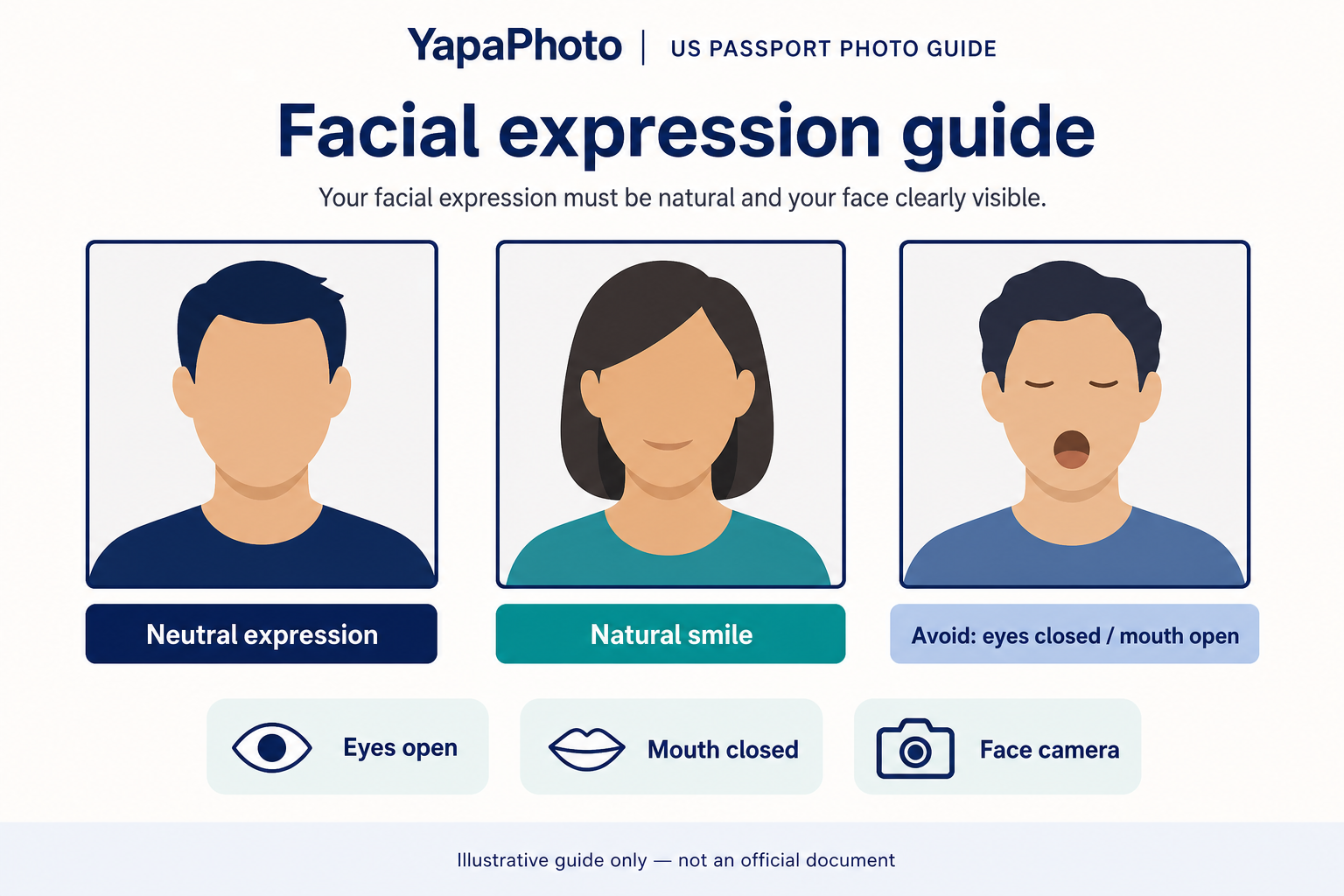
For a U.S. passport photo, use a neutral expression or a very natural closed-mouth smile. The Department of State's passport photo page says the photo should show a neutral facial expression, both eyes open, and mouth closed. Its passport FAQ also says you can smile if your eyes are open and your mouth is closed.
The practical rule is simple: do not use a photo where your eyes are closed, your mouth is open, you are laughing, you are making a funny face, or your head is turned away from the camera. For U.S. visa photos, follow the stricter wording on the visa page: neutral facial expression and both eyes open.
Requirement table
| Requirement |
Official-source basis or safe interpretation |
Common mistake |
| Facial expression |
Passport page: neutral facial expression; passport FAQ allows a smile if eyes are open and mouth is closed |
Using a broad grin, laughing face, or expression that changes normal appearance |
| Eyes |
Both eyes should be open |
Blinking, squinting, eyes half-closed, or looking away |
| Mouth |
Mouth should be closed |
Open-mouth smile, talking, shouting, or visible laugh |
| Head and camera direction |
Full face in view, directly facing the camera |
Head turned, chin raised too far, selfie angle, or side glance |
| Visa-photo caution |
Visa guidance says neutral facial expression and both eyes open |
Assuming the passport FAQ smile answer applies the same way to every U.S. visa upload |
| Editing boundary |
Use a real, recent color photo without filters, retouching, or AI changes |
Trying to "fix" eyes or mouth with software after the photo was taken |
What “neutral expression” means in practice
A neutral expression does not have to look harsh or unnatural. It means your face should look calm, normal, and easy to compare with you in person. Look straight at the camera, keep both eyes naturally open, and keep your mouth closed.
If you choose to smile for a passport photo, keep it small and natural. The Department of State passport FAQ says smiling is possible, but it still tells you to keep your eyes open and your mouth closed. That is why a closed-mouth smile is safer than a big smile, visible laugh, or open-mouth expression.
Passport photos vs visa photos
Passport and visa photo rules are similar, but the wording is not identical. The passport page has a FAQ answer about smiling, while the visa-photo page says the photo should be taken with a neutral facial expression and both eyes open.
If you are preparing a photo for a visa, DS-160-style upload, or another document where the official instructions say neutral expression, do not rely on the passport FAQ smile wording. Use the stricter neutral-expression interpretation for that document.
What YapaPhoto can help with
YapaPhoto's U.S. passport-photo path starts from a real uploaded photo. It can help prepare a U.S. passport-style digital crop/export and review obvious visual risks such as closed eyes, open mouth, wrong crop, background problems, or visible editing.
Keep the boundary clear: YapaPhoto is a private preparation tool. It is not the Department of State, is not affiliated with the U.S. government, and does not replace final agency review. The current U.S. path is a digital crop/export workflow; checkout and print-board delivery are not enabled for this standard yet.
Start with the U.S. passport photo preparation path. For the full passport checklist, read US passport photo requirements. For editing boundaries, read US passport photo AI rules.
Expression mistakes that can make a photo risky
- Eyes closed or half-closed. Retake the photo instead of trying to edit the eyes.
- Open-mouth smile. The passport page says mouth closed; use a closed-mouth expression.
- Laughing or exaggerated smile. A big expression can change the way your face looks compared with a normal ID-photo portrait.
- Funny face or raised eyebrows. Keep the face calm and natural.
- Looking away from the camera. The official passport page says to face the camera directly with full face in view.
- Trying to repair the expression digitally. Do not use filters, retouching, or AI to change the photo after capture.
Step-by-step expression workflow
- Set the camera at face level. Avoid selfie angles that make you look up, down, or sideways.
- Look directly into the lens. Keep both eyes visible and naturally open.
- Relax your face. Use a neutral expression or a very small closed-mouth smile for a passport photo.
- Keep the mouth closed. If the photo catches you talking or laughing, retake it.
- Check the document type. Passport photo guidance and visa photo guidance are close, but visa wording is stricter about neutral expression.
- Use a real, unedited photo. Cropping/export is different from changing eyes, mouth, face shape, or skin with software.
Source-backed checklist before submitting
Before you upload or print a U.S. passport-style photo, confirm that:
- both eyes are open and visible;
- the mouth is closed;
- the expression is neutral or, for a passport photo, only a very natural closed-mouth smile;
- the head faces the camera directly;
- the full face is in view;
- the photo is recent, in color, and not filtered, retouched, or AI-generated;
- the final document path you are using does not have stricter expression wording.
FAQ
Can I smile in a U.S. passport photo?
Yes, if it is a natural closed-mouth smile. The Department of State passport FAQ says you can smile, but it also says your eyes should be open and your mouth should be closed.
Can I show teeth in a U.S. passport photo?
The safest answer is no. Because the official passport page says mouth closed, choose a neutral expression or a small closed-mouth smile.
Are visa photo expression rules the same as passport photo rules?
Not exactly. U.S. visa-photo guidance says neutral facial expression and both eyes open. If you are preparing a visa photo, follow the visa page rather than relying on the passport FAQ smile answer.
Can I fix closed eyes or a mouth expression with AI?
No. Use a new real photo instead. Department of State guidance says not to digitally alter photos, and YapaPhoto should be used for preparation, crop, and export rather than changing your face.
Who makes the final decision?
The government agency or official submission process makes the final decision. YapaPhoto can help prepare and precheck a real-photo crop/export, but it cannot act as an official reviewer.